【教程】Typecho Joe主题开启并修复壁纸相册不显示问题
转载请注明出处:小锋学长生活大爆炸[xfxuezhang.cn]
背景说明
Joe主题本身支持“壁纸”功能,其实就是相册。当时还在网上找了好久相册部署的开源项目,太傻了。
但是网上教程很少,一没说如何开启壁纸功能,二没说开启后为何不显示图片,三没说如何显示自定义图片。
通过层层深扒源码,我已经成功修复并实现了上述问题。所以,这个重任还是由我来吧。接下来将是非常详细的图文教程,小白有手就行。
开启壁纸
进入后台,创建独立页面

标题随便填,最关键的是模板要选“壁纸”

直接发布页面即可
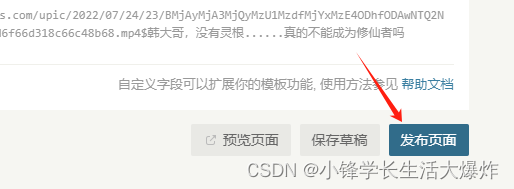
发布后点上面这个提示进去页面

比如我的:https://xfxuezhang.cn/index.php/tuji.html
此时你会看到一直在转圈圈,你也不知道如何去添加图片

修复显示
SSH进入服务器后台,进到Joe主题下面的public目录。这个路径都是一样的,直接复制即可
cd /var/www/html/usr/themes/Joe/public/打开route.php,直接替换里面的两个函数
vim route.phpfunction _getWallpaperType($self) 改成
/* 获取壁纸分类 已测试 √ */
function _getWallpaperType($self)
{header('Content-Type: application/json');$self->response->setStatus(200);$json = file_get_contents("http://cdn.apc.360.cn/index.php?c=WallPaper&a=getAllCategoriesV2&from=360chrome");$res = json_decode($json, TRUE);if ($res['errno'] == 0) {$self->response->throwJson(["code" => 1,"data" => $res['data']]);} else {$self->response->throwJson(["code" => 0,"data" => null]);}
}
function _getWallpaperList($self) 改成
/* 获取壁纸列表 已测试 √ */
function _getWallpaperList($self)
{header('Content-Type: application/json');$self->response->setStatus(200);$cid = $self->request->cid;$start = $self->request->start;$count = $self->request->count;$json = file_get_contents("http://wallpaper.apc.360.cn/index.php?c=WallPaper&a=getAppsByCategory&cid={$cid}&start={$start}&count={$count}&from=360chrome");$res = json_decode($json, TRUE);if ($res['errno'] == 0) {// 数据总数$total = $res['total'];$self->response->throwJson(["code" => 1,"data" => $res['data'],"total" => $total]);} else {$self->response->throwJson(["code" => 0,"data" => null]);}}
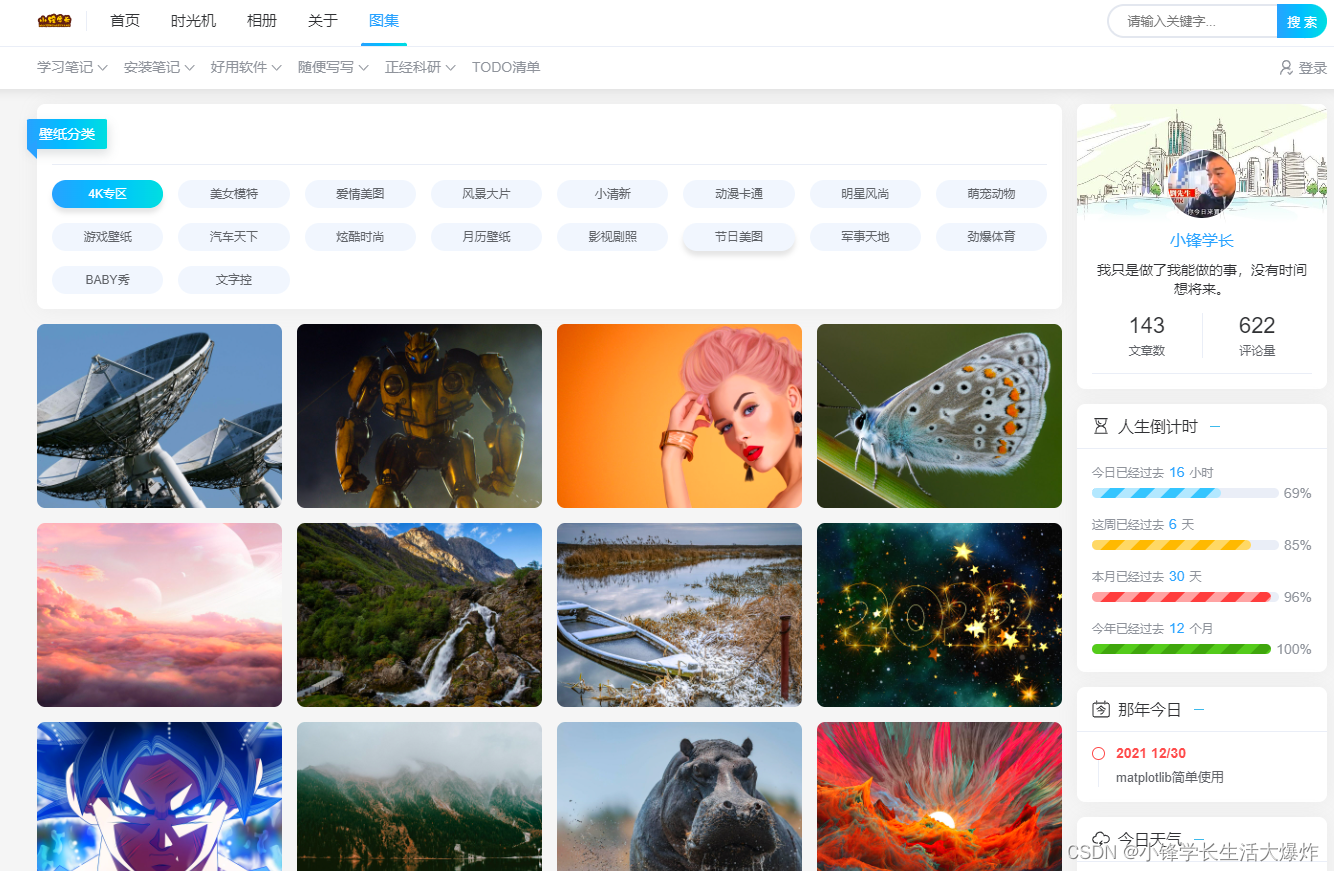
保存后刷新页面,就可以惊喜的发现能成功显示360壁纸了
自定义图片
那如何让它显示我们自己的图片呢?Joe显示壁纸的代码是固定的,所以我们只需要按照360壁纸的接口来设计我们的服务api就行。
壁纸分类接口
先看壁纸分类,360接口示例:
http://cdn.apc.360.cn/index.php?c=WallPaper&a=getAllCategoriesV2&from=360chrome
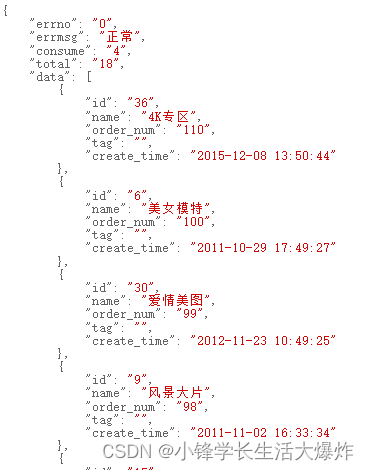
实际有用的
{"errno": "0","total": "1","data": [{"id": "1","name": "xxx"}]
}
如果你有服务程序开着,那么就返回这种类型的数据就行。我不想单独再开个监听服务程序,所以后面会讲我的简单方法。
壁纸图片接口
对于根据分类获取图片的360接口:
http://wallpaper.apc.360.cn/index.php?c=WallPaper&a=getAppsByCategory&cid={$cid}&start={$start}&count={$count}&from=360chrome

实际有用的:
{"errno": "0","total": "1884","data": [{"id": "1","url": "http://xfxuezhang.cn/mypics/1/0366_PT1814-2_7E8DB7C0.jpg"},]
}
同样的, 如果你有服务程序开着,那么就返回这种类型的数据就行。我不想单独再开个监听服务程序,所以后面会讲我的简单方法。
替换自己的图片
超级简单的方法。直接在网站目录下创建一个文件夹,里面每个子目录就是一个分类,子目录名是cid,分类信息用image_types.json保存,图片信息用image_details_{cid}.json保存,而generate.py可以根据子目录自动生成image_details_{cid}.json。
举个栗子,我创建了mypics目录
mkdir /var/www/html/mypics目录结构:
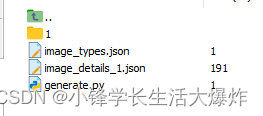
子目录1中的内容:

image_types.json:
{"errno": "0","total": "1","data": [{"id": "1","name": "涂料印花"}]
}generate.py:
import os
import json# 指定图片存放的目录
pics_directory = "./"# 遍历pics_directory目录下的子目录
for cid in os.listdir(pics_directory):if not os.path.isdir(cid):continueprint(f">> 正在处理:{cid}")# 构建JSON文件路径json_file_path = os.path.join(pics_directory, cid, f"image_details_{cid}.json")output_file = os.path.join(pics_directory, f"image_details_{cid}.json")# 获取子目录下的所有图片文件image_files = os.listdir(os.path.join(pics_directory, cid))# 构建JSON数据json_data = {"errno": "0","total": str(len(image_files)),"data": [{"id": str(i + 1), "url": f"https://xfxuezhang.cn/mypics/{cid}/{image}"}for i, image in enumerate(image_files)]}# 将JSON数据写入文件 with open(output_file, 'w') as json_file:json.dump(json_data, json_file, indent=2)print(f"Generated {output_file}")
执行generate.py生成image_details_1.json:
python generate.pyimage_details_1.json:
{"errno": "0","total": "2","data": [{"id": "1","url": "http://xfxuezhang.cn/mypics/1/0366_PT1814-2_7E8DB7C0.jpg"},{"id": "3","url": "http://xfxuezhang.cn/mypics/1/0366_PT1814-2_7E8DB7C0.jpg"},]
}最主要的!还要去修改route.php中的两个函数!
function _getWallpaperType($self) 改为
/* 获取壁纸分类 已测试 √ */
function _getWallpaperType($self)
{// 允许所有域的跨域请求header("Access-Control-Allow-Origin: *");header("Access-Control-Allow-Methods: GET, POST, OPTIONS");header("Access-Control-Allow-Headers: Content-Type");header("Access-Control-Max-Age: 86400");header('Content-Type: application/json');$self->response->setStatus(200);// $json = file_get_contents("http://cdn.apc.360.cn/index.php?c=WallPaper&a=getAllCategoriesV2&from=360chrome");$json = file_get_contents("http://xfxuezhang.cn/mypics/image_types.json");$res = json_decode($json, TRUE);if ($res['errno'] == 0) {$self->response->throwJson(["code" => 1,"data" => $res['data']]);} else {$self->response->throwJson(["code" => 0,"data" => null]);}
}
function _getWallpaperList($self) 改为
/* 获取壁纸列表 已测试 √ */
function _getWallpaperList($self)
{// 允许所有域的跨域请求header("Access-Control-Allow-Origin: *");header("Access-Control-Allow-Methods: GET, POST, OPTIONS");header("Access-Control-Allow-Headers: Content-Type");header("Access-Control-Max-Age: 86400");header('Content-Type: application/json');$self->response->setStatus(200);$cid = $self->request->cid;$start = $self->request->start;$count = $self->request->count;// $json = file_get_contents("http://wallpaper.apc.360.cn/index.php?c=WallPaper&a=getAppsByCategory&cid={$cid}&start={$start}&count={$count}&from=360chrome");$json = file_get_contents("http://xfxuezhang.cn/mypics/image_details_{$cid}.json");$res = json_decode($json, TRUE);if ($res['errno'] == 0) {// 数据总数$total = $res['total'];// 对数据进行分割$startIndex = $start;$endIndex = $startIndex + $count;$slicedData = array_slice($res['data'], $startIndex, $count);$self->response->throwJson(["code" => 1,"data" => $slicedData,"total" => $total]);} else {$self->response->throwJson(["code" => 0,"data" => null]);}}
改完保存后,去刷新壁纸页面,就可以看到已经顺便变成我们自己的图了

后续修改
之后要调整内容,就只需要在mypics目录下放个子目录,然后手动将这个子目录信息写到image_types.json,然后直接执行generate.py就可以了。
进阶加速方法
图片会占用大量内存,如果资金充足可以买一个CDN。另一种方法是加上缓存。对于Typecho可以用这个插件:
GitHub - gogobody/TpCache: 一个 typecho 缓存插件
注意需要开启php-redis,比如我的是php8.1版本:
sudo apt install php8.1-redis然后安装redis:
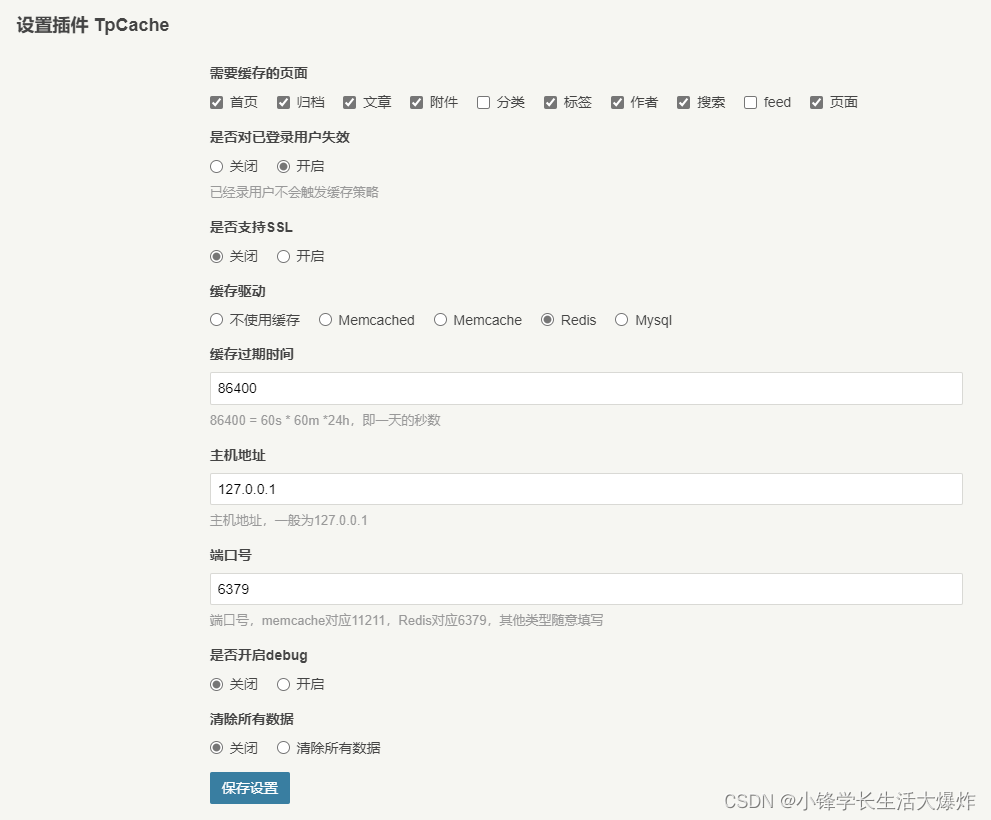
sudo apt install redis-server -y然后就是常规插件的开启方法,大家都会的。可以参考我的设置: