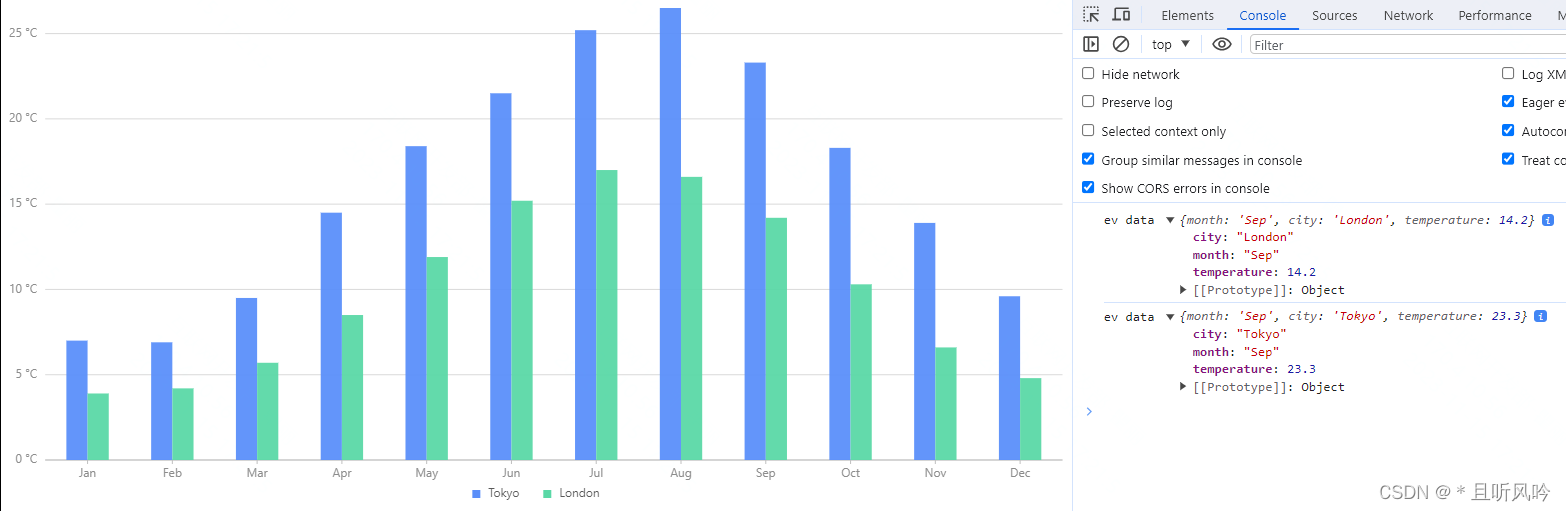
Antv/G2 柱状图添加自定义点击事件
<!DOCTYPE html>
<html><head><meta charset="UTF-8"><title>柱状图点击事件</title></head><body><div id="container" /><script src="https://gw.alipayobjects.com/os/lib/antv/g2/4.2.8/dist/g2.min.js"></script><script src="https://gw.alipayobjects.com/os/antv/pkg/_antv.data-set-0.11.1/dist/data-set.js"></script><script><!-- 浏览器引入,请使用全局命名空间 G2,如 new Chart() 改为 new G2.Chart,即可运行。 -->const data = [{ month: 'Jan', city: 'Tokyo', temperature: 7 },{ month: 'Jan', city: 'London', temperature: 3.9 },{ month: 'Feb', city: 'Tokyo', temperature: 6.9 },{ month: 'Feb', city: 'London', temperature: 4.2 },{ month: 'Mar', city: 'Tokyo', temperature: 9.5 },{ month: 'Mar', city: 'London', temperature: 5.7 },{ month: 'Apr', city: 'Tokyo', temperature: 14.5 },{ month: 'Apr', city: 'London', temperature: 8.5 },{ month: 'May', city: 'Tokyo', temperature: 18.4 },{ month: 'May', city: 'London', temperature: 11.9 },{ month: 'Jun', city: 'Tokyo', temperature: 21.5 },{ month: 'Jun', city: 'London', temperature: 15.2 },{ month: 'Jul', city: 'Tokyo', temperature: 25.2 },{ month: 'Jul', city: 'London', temperature: 17 },{ month: 'Aug', city: 'Tokyo', temperature: 26.5 },{ month: 'Aug', city: 'London', temperature: 16.6 },{ month: 'Sep', city: 'Tokyo', temperature: 23.3 },{ month: 'Sep', city: 'London', temperature: 14.2 },{ month: 'Oct', city: 'Tokyo', temperature: 18.3 },{ month: 'Oct', city: 'London', temperature: 10.3 },{ month: 'Nov', city: 'Tokyo', temperature: 13.9 },{ month: 'Nov', city: 'London', temperature: 6.6 },{ month: 'Dec', city: 'Tokyo', temperature: 9.6 },{ month: 'Dec', city: 'London', temperature: 4.8 },];const chart = new G2.Chart({container: 'container',autoFit: true,height: 500,});chart.data(data);chart.tooltip({showCrosshairs: true,shared: true,});chart.axis('temperature', {label: {formatter: (val) => {return val + ' °C';},},});chart.interval().position('month*temperature').color('city').adjust([{type: 'dodge',marginRatio: 0,},])chart.interaction('active-region')chart.render();// 监听click事件chart.on('element:click',(ev)=>{const data=ev.data.data; console.log('ev data',data)        })</script></body>
</html>
页面效果: